Create a return
Opprett en retur for fullførte bestillinger ved å klikke på "salgsordre". Velg "Returner varer" for riktig ordre og sørg for at riktig lager er valgt. Returårsaken gjelder alle varer, men kan endres manuelt. Returnerte varer kan lagres på forskjellige steder, men ikke alle trenger å lagres, som defekte produkter. Klikk "Bekreft retur" når du er klar. Se detaljerte spesifikasjoner for returnerte ordrer under "Returnert".
June 11, 2025
Create a return in 10 seconds
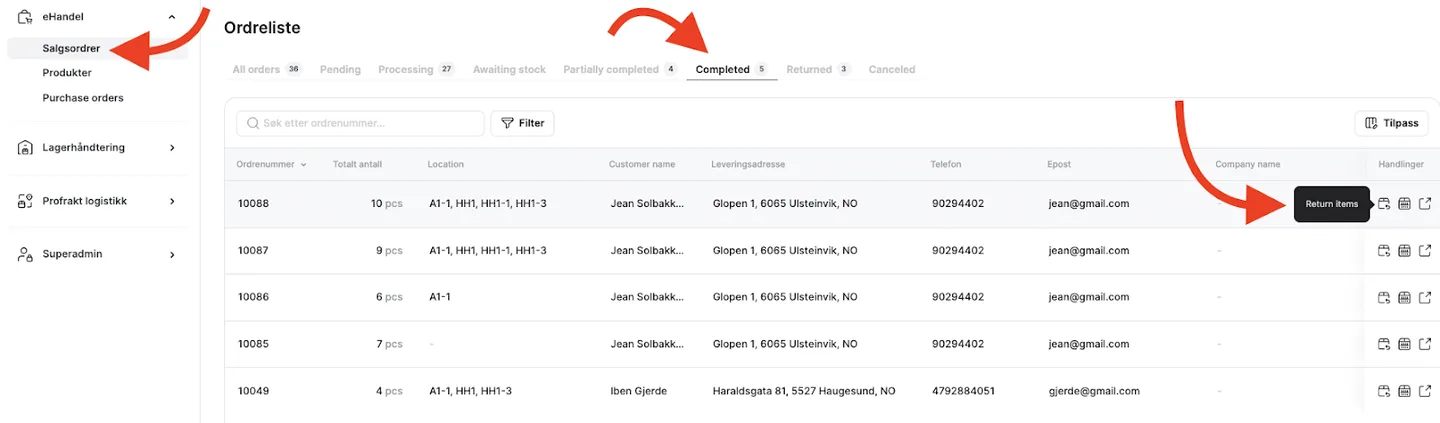
- Click on the “sales order” and note that you can only create a return for orders with the status "Completed." Click on "Return Items" once you have found the correct order.
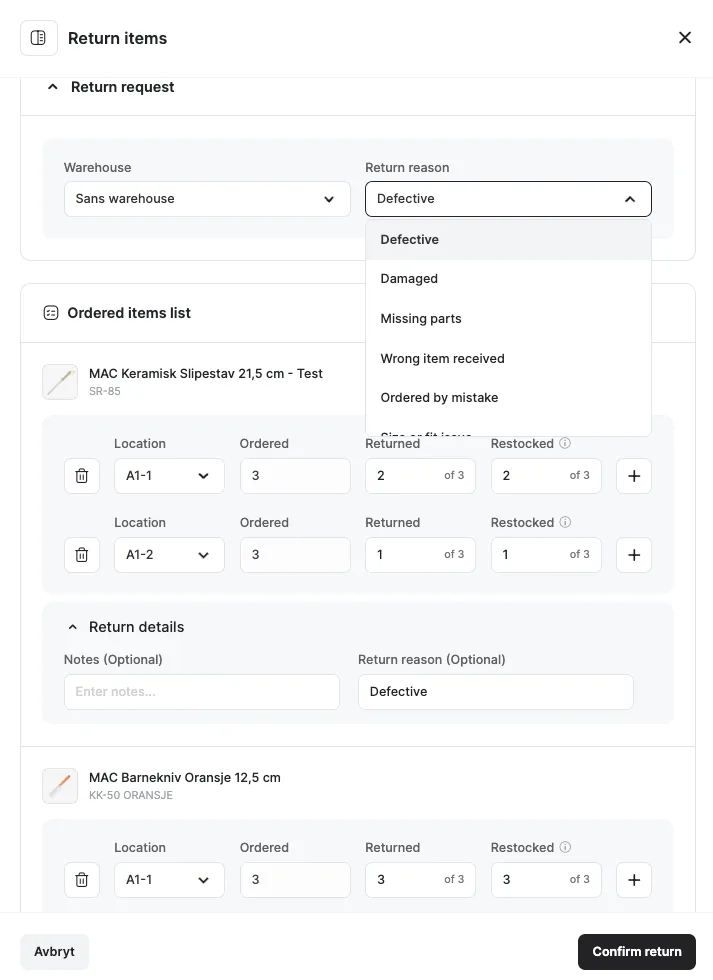
- When entering, please ensure the correct warehouse is selected. When confirming the return reason, it will be applied to all items, but you can manually override it if needed.
Please note that if three pieces of a product are returned, they can be restocked at different locations. Also, not all returned items do not need to be restocked, for example, defective products. This helps distinguish between unsellable and resellable products.
Click Confirm Return when ready.
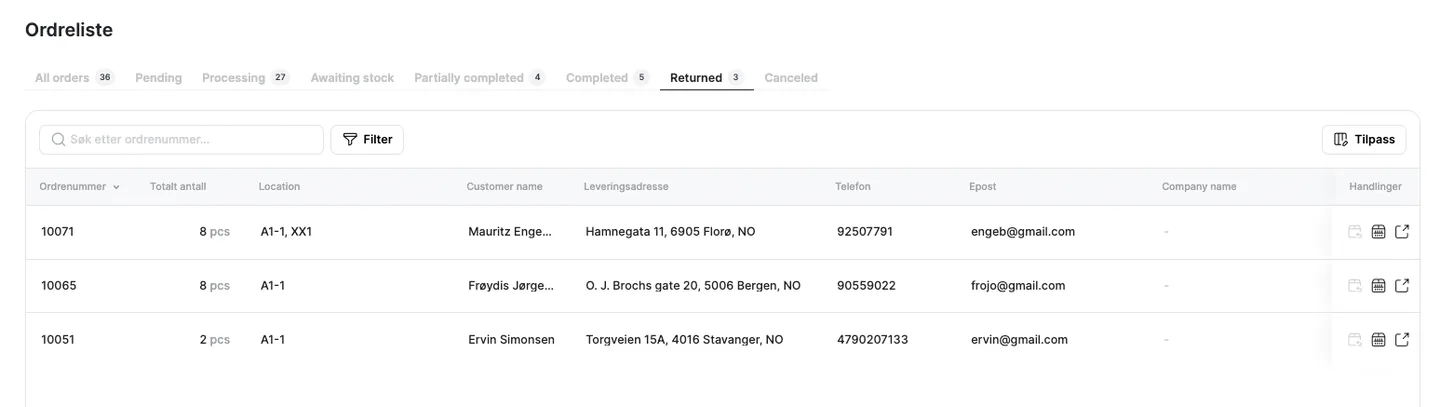
- Under "Returned", you will find the orders that have been returned, and you can click on them for detailed specifications.