3. Holio Shipping App: Sending returns
Holio Shipping makes it easy to add and manage shipping options in Shopify. Configure carriers, prices, and rules for a smooth checkout.
October 14, 2025
Complete Step-by-Step Guide
Here you’ll find a complete step-by-step guide on how to send returns with Holio Shipping, available in the Shopify App Store here.
Note! If you haven’t installed and configured the app yet, we recommend starting with this article: Holio Shipping: Getting Started
1. Go to your store in Shopify and open the order overview. Select the fulfilled orders you want to create a return for, and click “Return with Holio”.
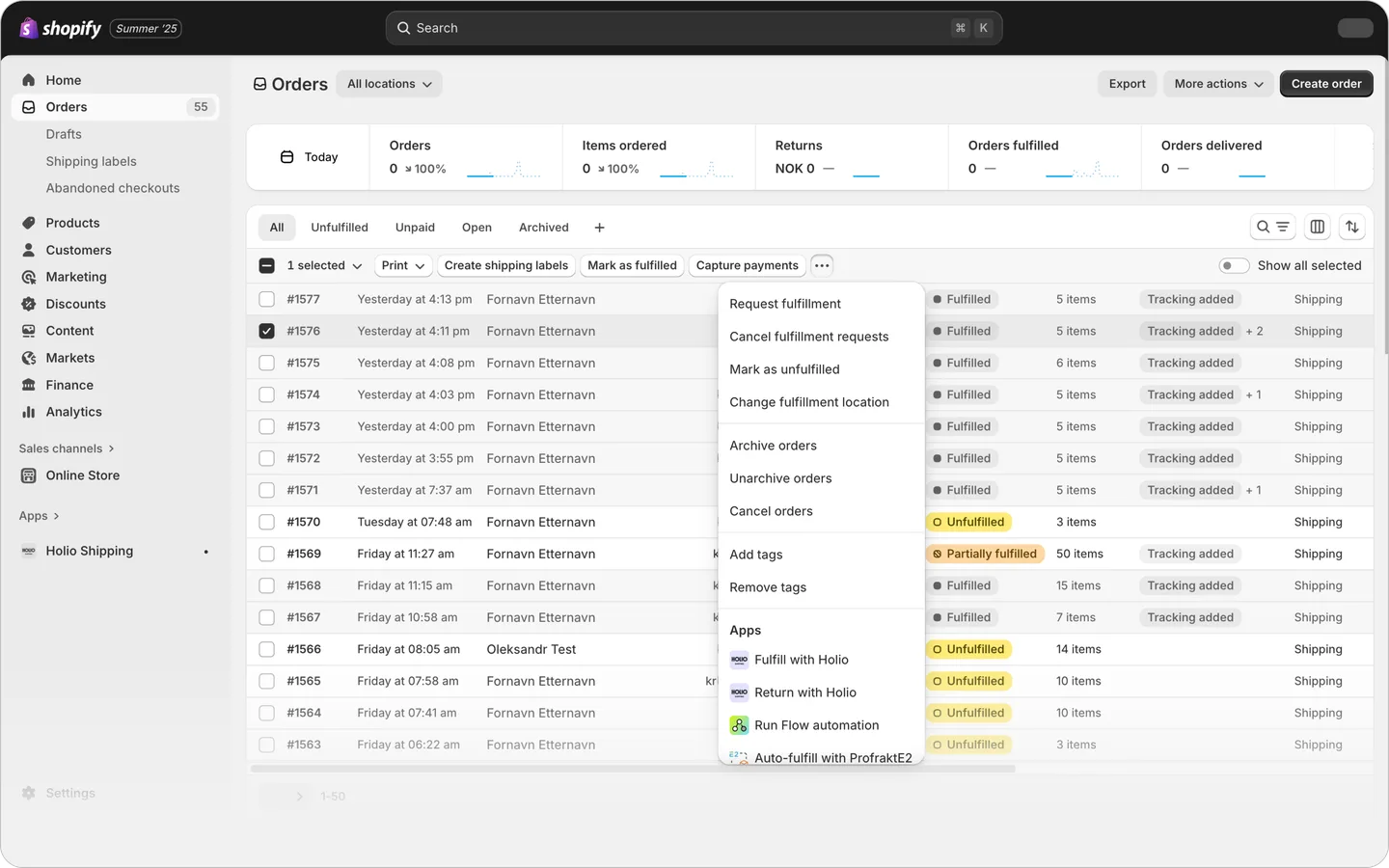
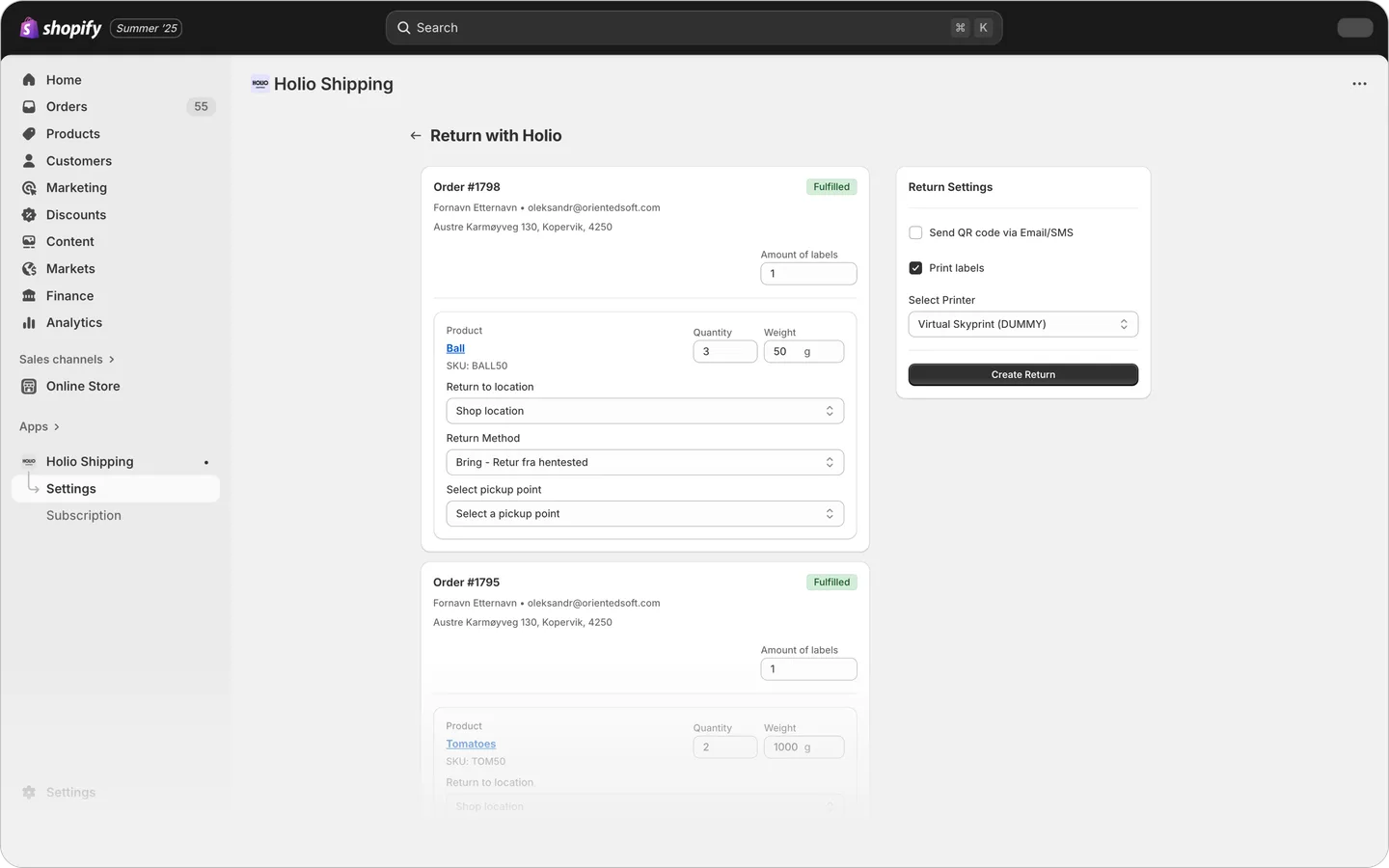
2. An order window will now open in Holio Shipping with the order(s) you selected.
In practice, the address in the order is reversed: the customer becomes the sender, and the store becomes the receiver.
Note! Make sure the address information under Locations in your Shopify settings is correct.
3. Choose the return service and the desired drop-off location.
- Click Send QR code via Email/SMS to send a QR code directly to your customer.
They can simply scan it at the nearest drop-off point, and the shipping label will be printed and attached there.
That’s all there is to it!
Need assistance? Please book a meeting or contact us.