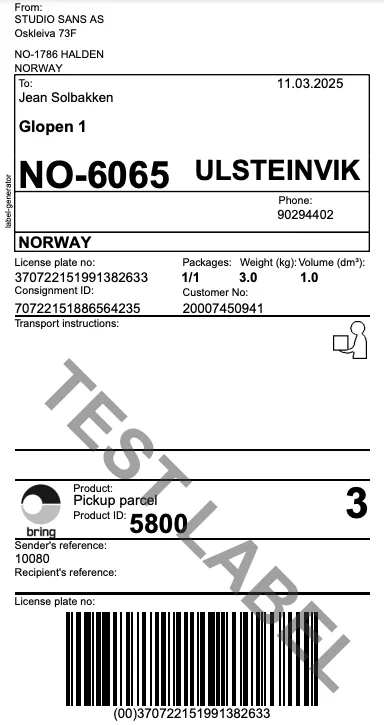
Ship a order
Streamline the shipment of sales orders by easily locating and processing orders under the status "Processing." Select single orders or multiple at once, and use "Profrakt Skyprint" to print or download shipping labels. Automate the process with a single click.
June 3, 2025
Ship a order in 10 seconds
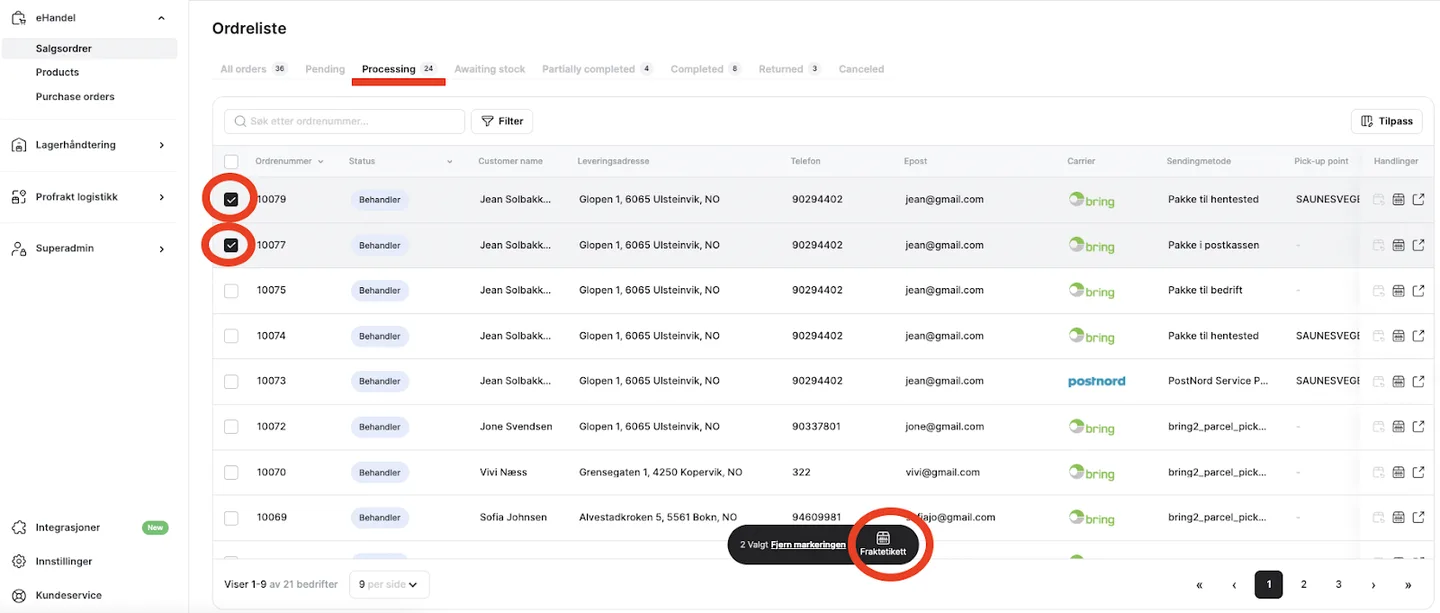
- To ship a sales order, start by locating orders that are still under the status "Processing."
- You can ship a single order or multiple orders at once by selecting the ones you want to send and clicking on "Shipping Label."
- A popup will appear, allowing you to choose whether to download or print using “Profrakt Skyprint.” The consignment will be created automatically. Click “Confirm Processing” when ready.
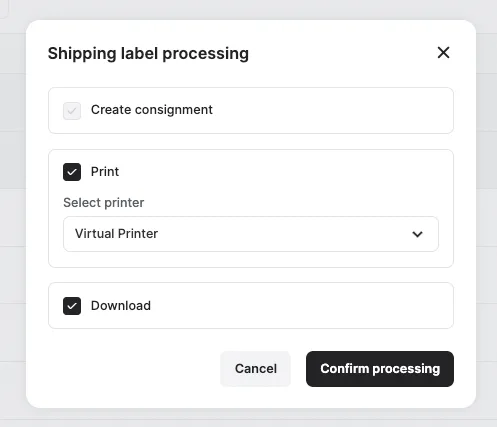
- Depending on the chosen freight solution for the specific order(s), you will print, download, or do both for the shipping label.