Receive items in a Purchase Order
Knowledge base - Learn how to use Holio
June 11, 2025
Receive a Purchase Order in minutes
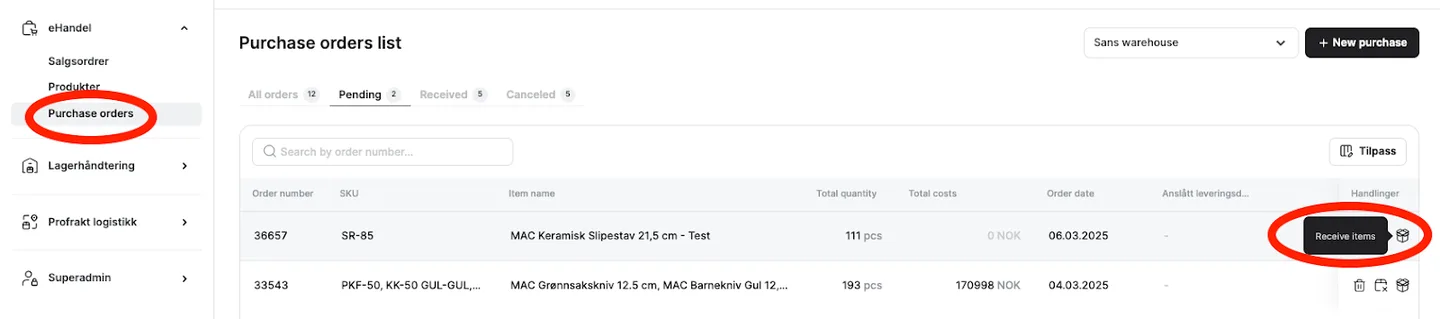
- Click on the list of purchase orders, find the relevant order, and click on "Receive items."
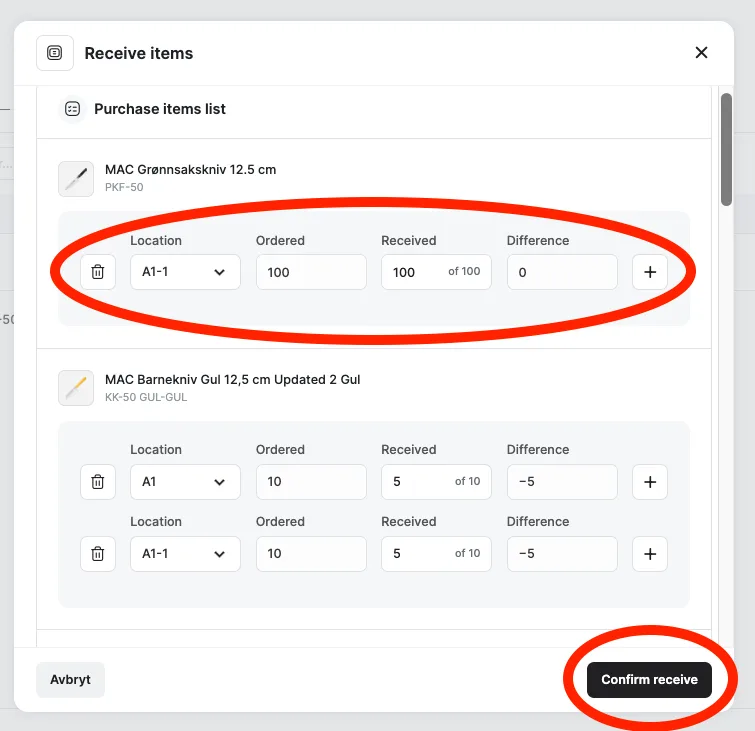
- A pop-up window will now appear where you/the warehouse will process the order. Here, you can select which location the specified quantity of the product should be placed in. Click the + sign if you want to allocate the same product to multiple locations. Confirm when you are ready.
- When the purchase order is fully completed, its status will change to "Received." If it is only partially fulfilled, it will be listed accordingly.